Submit Rulemaking Comment
The Create New Rulemaking Comment feature allows users—both registered and external—to provide feedback or suggestions on active rulemaking dockets.
Comments may be submitted by Tier 1 users, Tier 2 users, or external users who do not have an account.
This feature ensures transparent participation in the NMPRC’s rulemaking process and provides a structured way for the public to contribute.
1. Submit a Rulemaking Comment from the Landing Page
External users can submit comments without signing in.
From the PRC main landing page, click the Submit New button at the bottom-right corner.
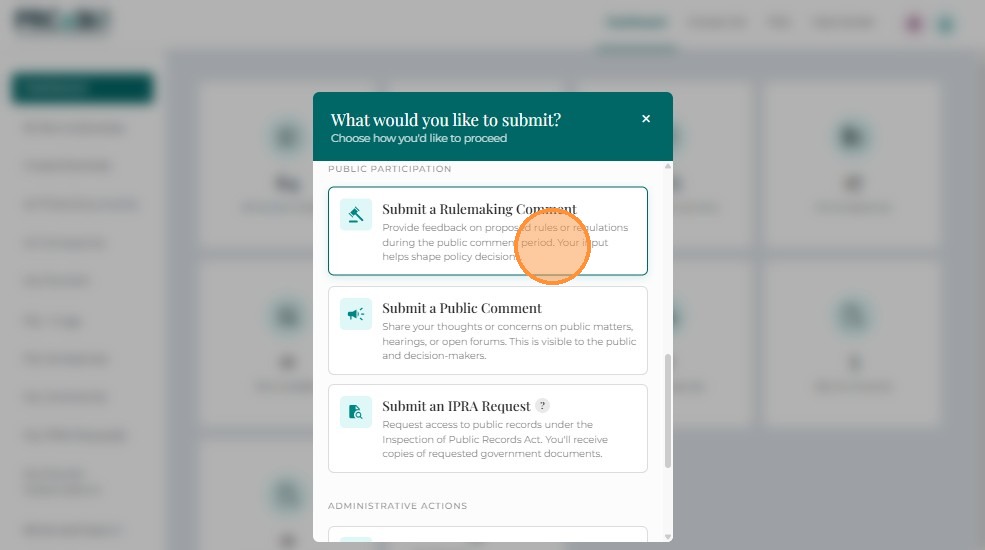
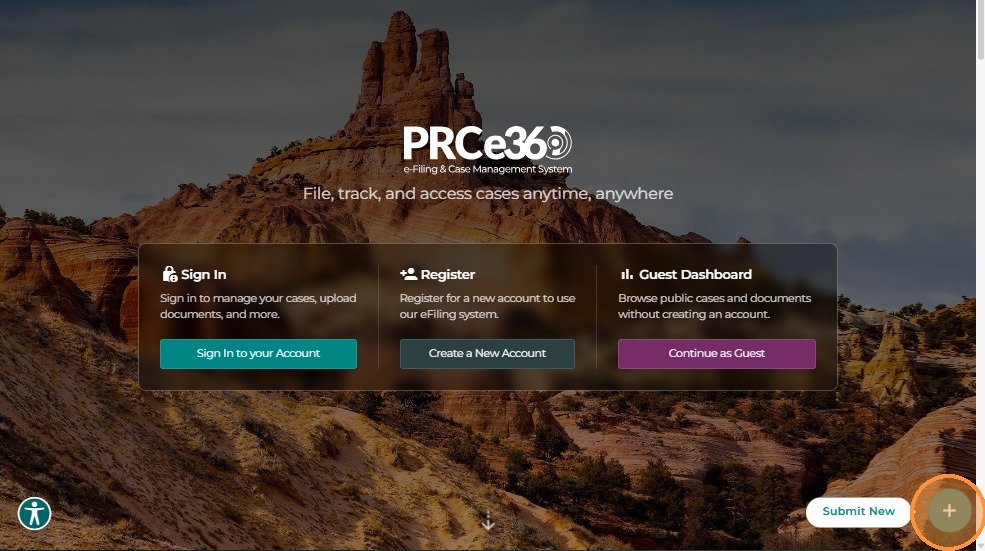 The system displays three options:
- File an Informal Complaint
- Submit a Rulemaking Comment
- Submit a Public Comment
Click Submit a Rulemaking Comment to proceed to the comment creation page.
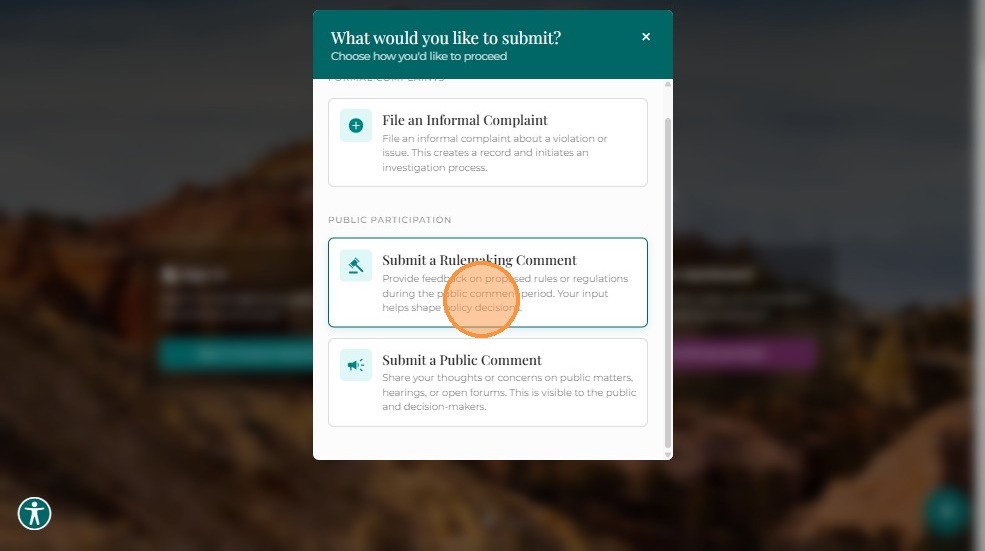
Note: Rulemaking comments can be submitted by anyone — registered or unregistered users.
2. Submit a Rulemaking Comment via Dashboard
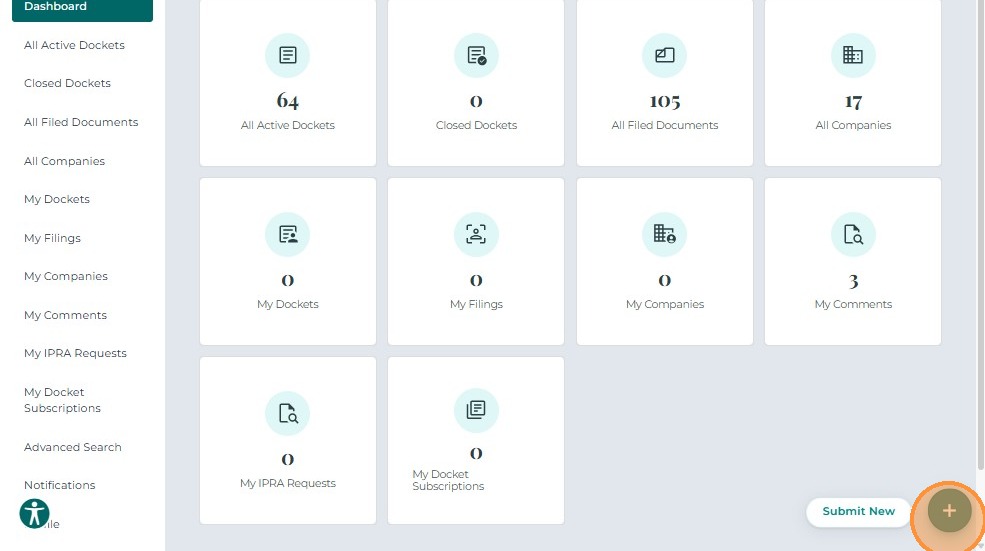
After logging in, Tier 1 and Tier 2 users can create comments from their dashboard.
- Click +Submit New in the lower-right corner.
- From the options displayed, select Create New Rulemaking Comment.
The Create New Rulemaking Comment screen opens, allowing users to provide input related to a specific rulemaking docket.
3. Comment Details
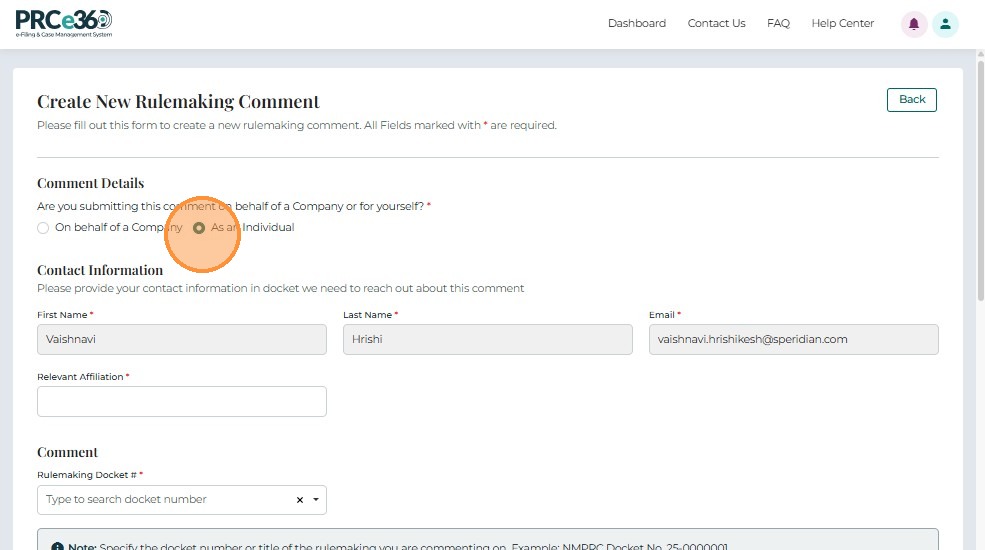
3.1 Select Submitter Type
- Are you submitting this comment on behalf of a Company or for yourself?*
Choose one of the following:- On behalf of a Company
- As an Individual
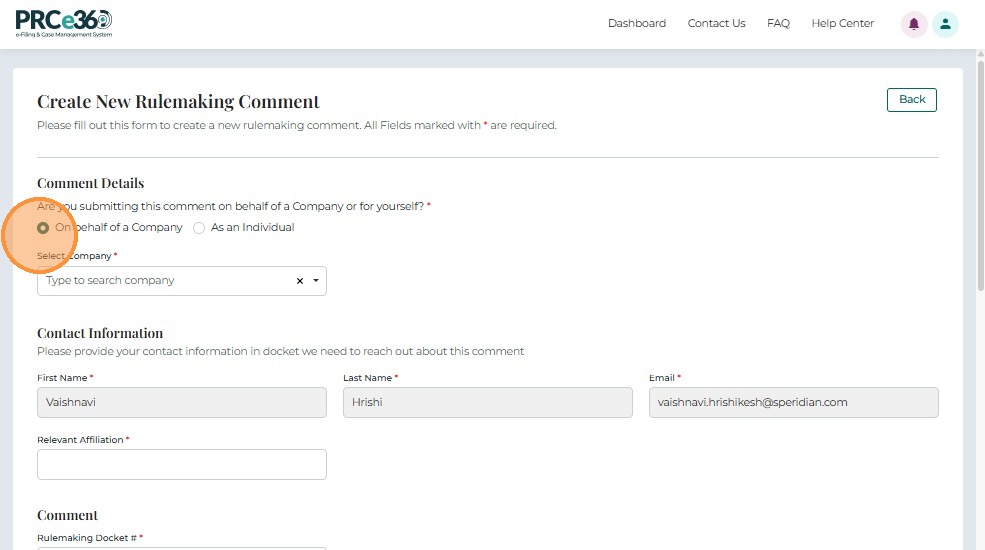
Note: If you select On behalf of a Company, a dropdown will appear to select the company name from the system.
4. Contact Information
Provide your contact details for correspondence or clarification purposes.
- First Name* – Comment submitter’s first name.
- Last Name* – Comment submitter’s last name.
- Email* – Primary email address for communication.
- Relevant Affiliation – Optional; specify organization or professional affiliation, if applicable.
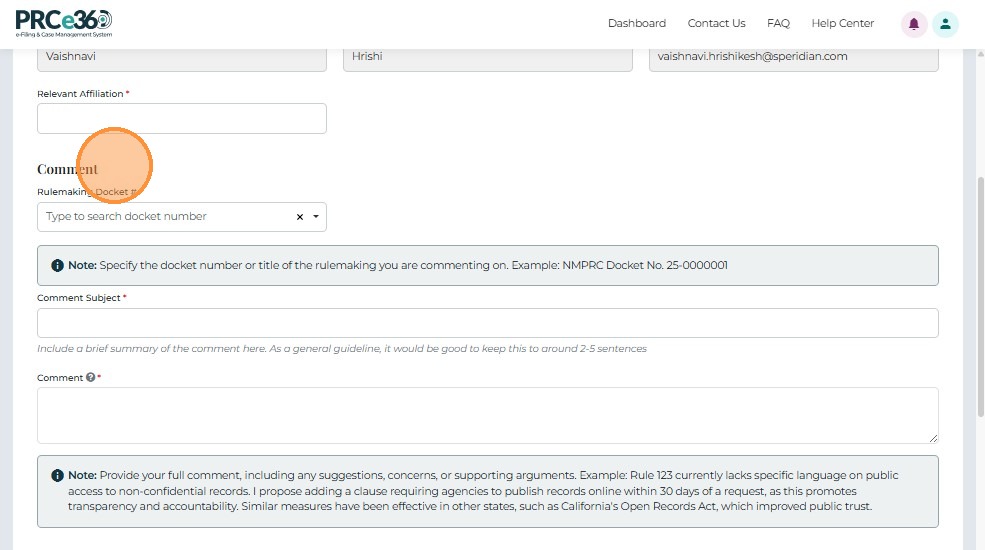
5. Comment Section
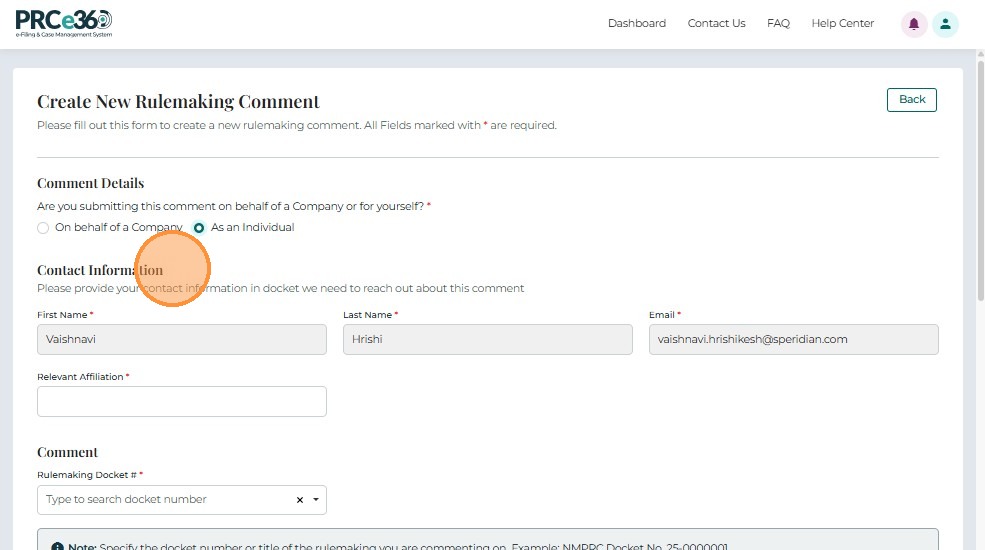
- Rulemaking Docket Number* – Search-enabled dropdown to select the rulemaking docket number or title.
- Comment Subject – Short summary (2–5 sentences).
- Comment* – Full text of your comment, including supporting details or suggested revisions.
Example:
“Rule 123 currently lacks specific language on public access to non-confidential records. I propose adding a clause requiring agencies to publish records online within 30 days of a request.”
6. Upload Supporting Documents
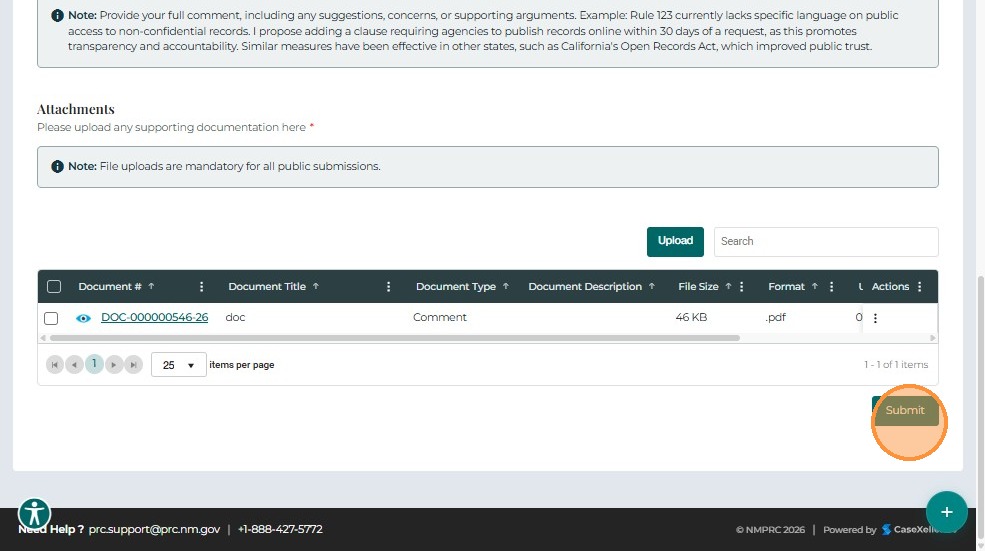
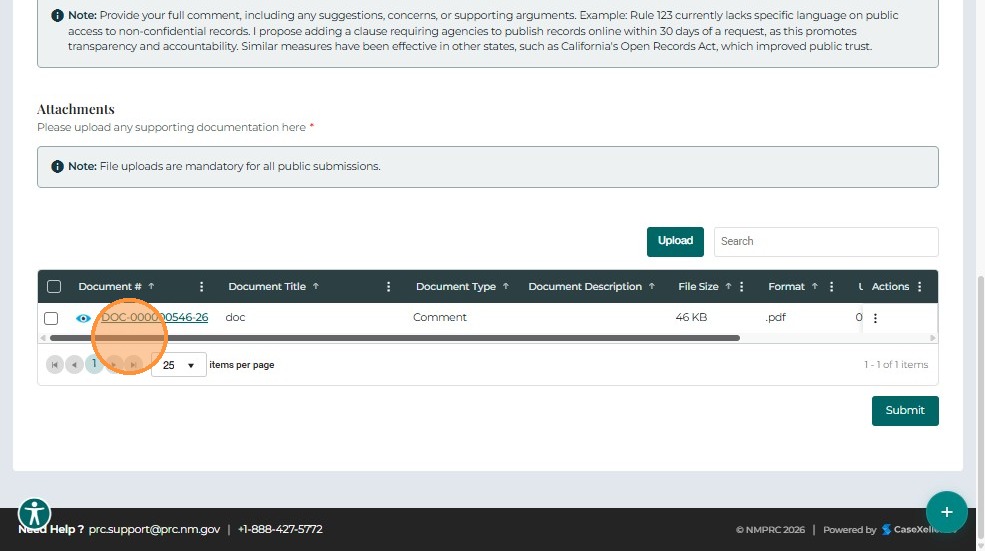
The Attachments section allows users to upload supplemental files that support their comments.
| Field | Description |
|---|---|
| Document # | Unique system-generated identifier for each document. |
| Document Title | Name of the uploaded document. |
| Document Type | Classification of the document (e.g., Exhibit, Supporting Statement, Reference). |
| Document Description | Brief explanation of the document content. |
| File Size / Format | Displays the file size and type (PDF, DOCX, etc.). |
| Uploaded | Displays the upload status. |
Actions: Use the ⋮ (Actions) icon to remove any uploaded documents before submission.
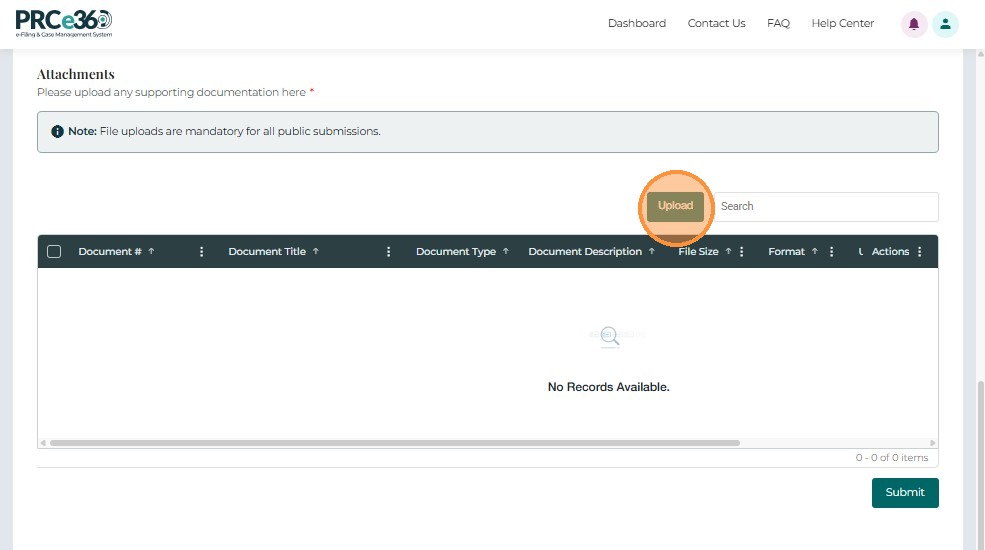
Upload a Document
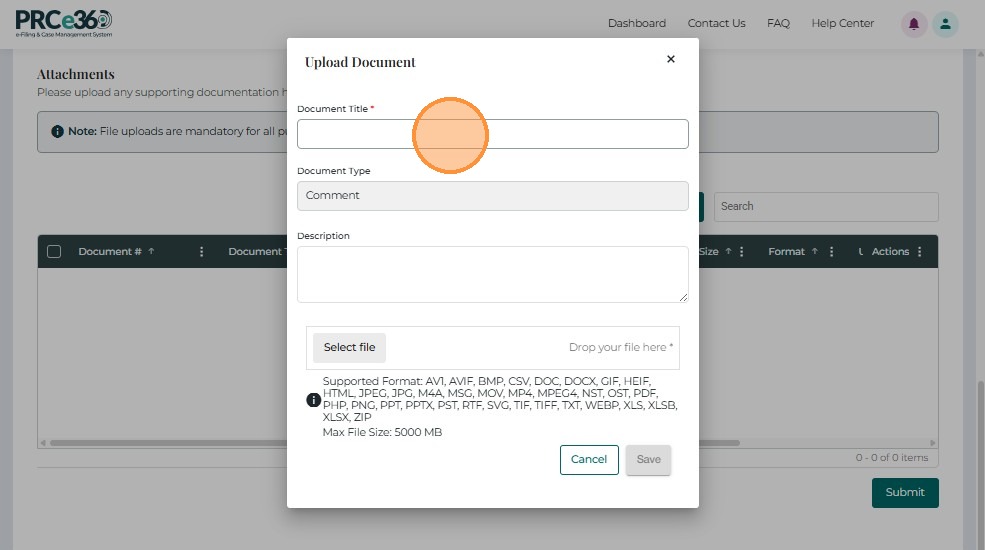
Click Upload to open the document upload form, then fill out the required fields:
- Document Title*
- Document Type*
- Access Type* – Select Non-Confidential or Confidential
- Description – Optional
- Select File* – Browse or drag-and-drop file
- Click Save to add to grid, or Cancel to discard
7. Submit the Rulemaking Comment
After reviewing your inputs and attachments:
- Click Submit to send your comment to NMPRC staff.
- A confirmation message will appear, confirming that your comment was successfully submitted.
- Retain the confirmation details for future reference.